Recording and editing
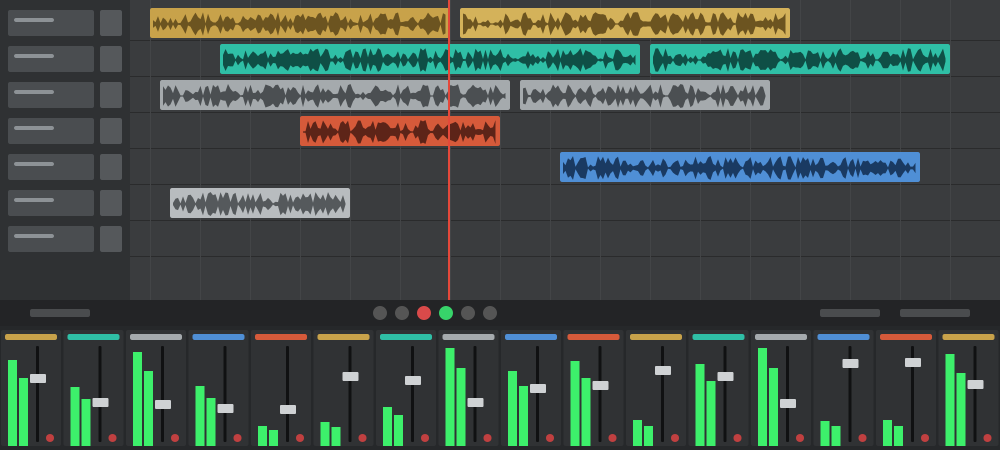
The program records and edits multitrack audio and MIDI with 64 bit internal processing, at almost any bit depth and sample rate the hardware allows. Version 7 added track lanes, which hold takes, layered sounds or alternate versions of a part inside one track, and swipe comping, which builds a composite from the best sections of several takes with one click A/B comparison.
Razor edits, added during the 6.x cycle, cut, move, copy or stretch a selected region of media and automation together. Retroactive MIDI recording keeps what you played even when no track was armed. Track edit grouping supports up to 64 groups with leader and follower tracks.

Mixing, routing and effects
Routing is where the program stands out. Any track can carry up to 128 channels, MIDI routing has 128 buses, and there are no limits on tracks, sends, receives or effects. FX containers store whole effect chains, including parallel branches and mapped parameters, for recall in other projects.
It ships with hundreds of its own effects, among them the ReaLimit brickwall limiter and the ReaSurroundPan 3D panner, and it hosts VST, VST3, LV2, AU, CLAP, DX and JS plug-ins. Per effect oversampling reaches 768 kHz, and every render can produce an HTML loudness and clipping report.

Customisation and scripting
Keyboard shortcuts, mouse behaviour, toolbars, menus and the theme are all editable, and version 7 lets you switch between whole sets of shortcuts. ReaScript, the JSFX effect language, OSC and control surface support let you build tools of your own. The new .ReaperPkg format in 7.86 installs and removes scripts and extensions as packages. The flip side is that a fresh install looks plain, and getting the most from it takes reading.

Pros and cons
Pros:
- Single full version, no paid feature tiers
- One time licence from $60 with updates through 8.99
- 60 day evaluation with nothing disabled
- Native builds for Windows, macOS and Linux, including ARM
- Small installer (17 MB on Windows x64), can run from a portable drive
- No limits on tracks, sends or effects
- Broad plug-in format support including CLAP and LV2
Cons:
- No bundled loop or sample library
- Interface needs configuring before it feels fast
- All licence purchases are final, no refund
- Commercial users pay $225
- Fewer built in virtual instruments than packaged DAWs

Who should buy it
Buy it if you record bands, podcasts, voice work or sound for picture and want a capable mixer and editor without a subscription. It also suits Linux users, who have few commercial DAWs to choose from. Look elsewhere if you mainly build tracks from loops and presets; the REAPER vs Ableton Live comparison and the list of alternatives cover those options.
Because purchases cannot be refunded, use the full 60 day evaluation on your real projects before paying.
Try the full program first
Install version 7.86 and use every feature for 60 days. Our download guide lists every installer.
Frequently asked questions

Is REAPER good for beginners?
It can be, since the evaluation costs nothing and the user guide is free, but the default layout is plain and many functions sit in menus and right click options. Beginners who prefer guided templates may find a packaged DAW quicker to start with.
Is REAPER a professional DAW?
The vendor lists users in commercial studios, broadcast, game development and research. It offers 64 bit processing, unlimited tracks, surround panning and loudness reporting, which cover professional recording and mixing work.
Does REAPER come with instruments and samples?
It includes hundreds of effects and some basic instruments but no large sample or loop library. Most users add third party virtual instruments in formats such as VST3, CLAP or AU.
How often is REAPER updated?
The vendor says updates are typically released every few weeks. Version 7.86 came out on 13 November 2026, and updates through 8.99 are free for version 7 licence holders.
Can I get a refund if I do not like it?
No. The purchase page states that all licence purchases are final, which is why the vendor asks you to use the 60 day evaluation first.